---
title: "How to build a candidate sourcing or job board app with Unified.to"
img: https://s3.us-east-2.amazonaws.com/unified-article-images/how_to_build_a_candidate_sourcing_or_job_board_app_with_unified-icon.png
date: 2024-01-04T00:00:00.000Z
tag: Guides
description: "API integrations are necessary for any modern SaaS app, especially for recruitment solutions like candidate sourcing and job boards that require a high volume..."
url: "https://docs.unified.to/guides/how_to_build_a_candidate_sourcing_or_job_board_app_with_unified"
---
# How to build a candidate sourcing or job board app with Unified.to
------
_January 4, 2024_
## Why build with a unified API?
API integrations are necessary for any modern SaaS app, especially for recruitment solutions like candidate sourcing and job boards that require a high volume of integrations to improve product value and support a broader user base.
Instead of spending months or years developing ATS integrations individually, developers can leverage a unified API to integrate once to launch multiple integrations simultaneously. Unified APIs simplify integration efforts by offering consistent endpoints and data formats that reduce the complexity of managing numerous APIs.
Unified APIs accelerate development cycles, enabling quicker deployment of new features and product updates for your recruitment software. We built Unified.to to make integration development as easy as possible for SaaS developers.
## Prerequisites
Before starting, be sure to review our [Getting Started with Unified](https://unified.to/blog/start_here_getting_started_with_unified) article. It will walk you through registering for a free account and our onboarding. Once you have completed the onboarding steps, go ahead and as you like.
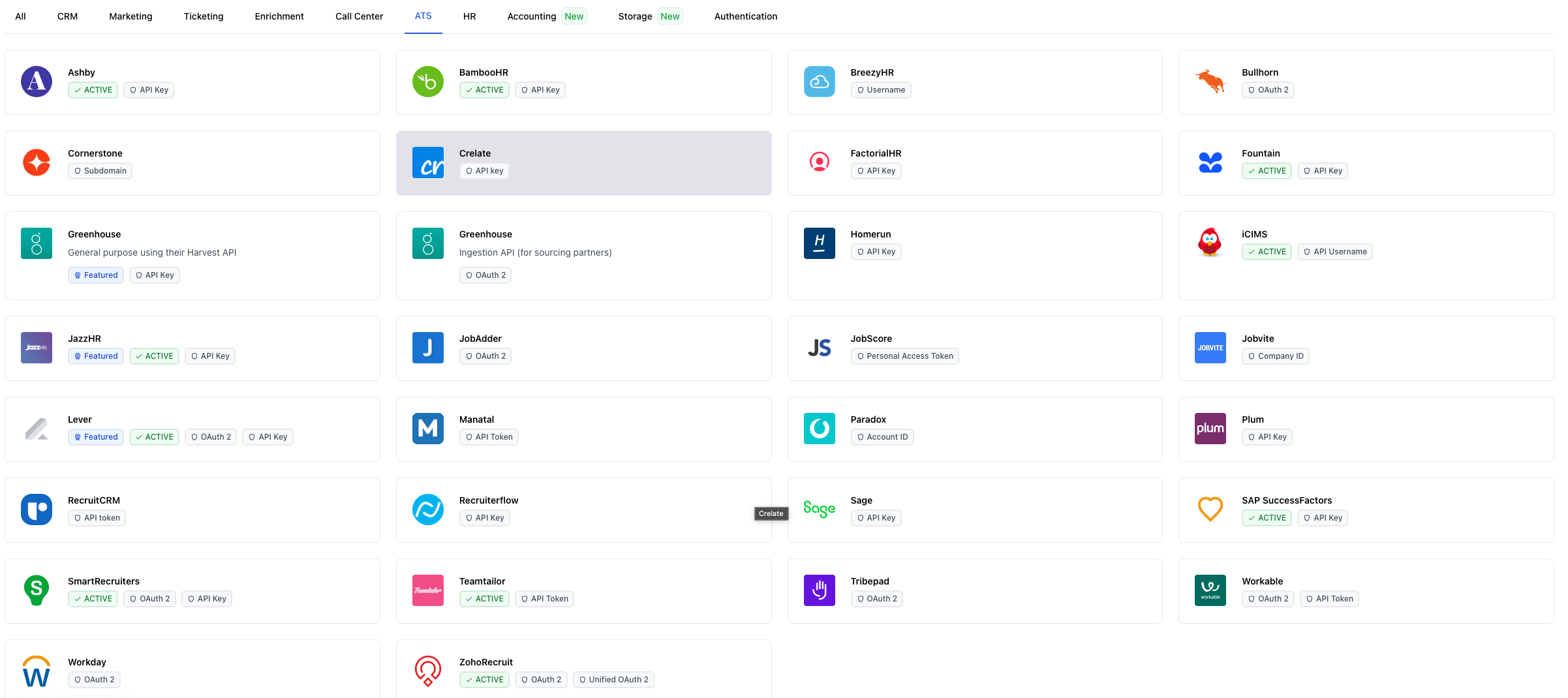
Next, deploy the [Unified.to](https://unified.to/) Embedded Authorization widget in your product's user-interface. Check out our to learn more.
## Overview
These are main steps that you will need to support to build your candidate sourcing or job board app:
1. read active jobs to search relevant candidates for
2. apply a candidate to a job
Let's go into more detail for each.
## Step 1: Read Jobs
Before searching or finding relevant candidates, you'll need to know which jobs your customer wants you to search for.
[Unified.to](https://unified.to/) can help your app seamlessly import jobs from your customer's ATS.
To get a list of existing jobs from your end user's ATS, simply call the `listJobs` [API endpoint](https://docs.unified.to/ats/job/List_all_jobs).
```typescript
import { UnifiedTo } from '@unified-api/typescript-sdk';
const sdk = new UnifiedTo({
security: {
jwt: "",
},
});
export async function getJobs(connectionId: string) {
return await sdk.ats.listAtsJobs({
connectionId,
});
}
```
The connection_id comes in from your end user's authorization of their ATS and is stored on your end. You can watch our for more detail.
A `Job` will have specific fields such as `name` , `description`, `compensation`, and `location` that will be relevant to your software. Reference our [API docs](https://docs.unified.to/ats/job/model) for more information.
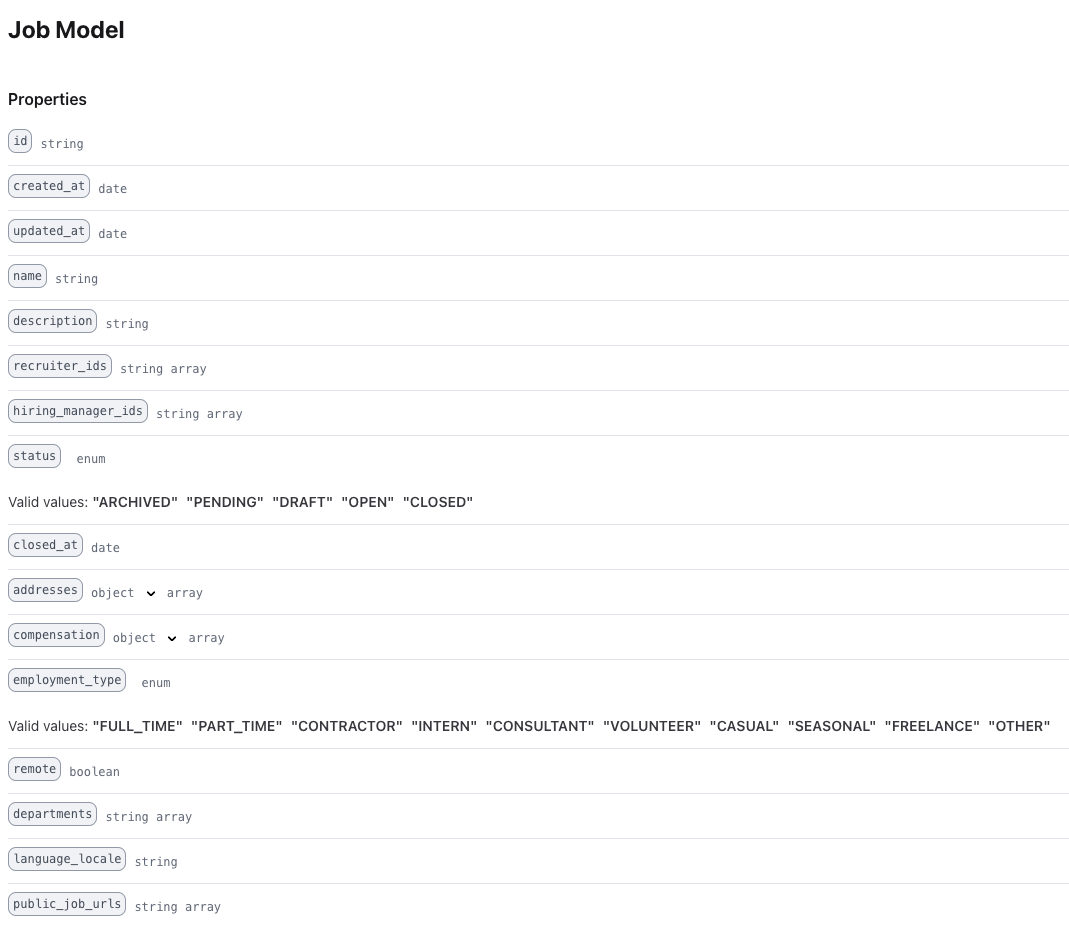
Once you have the list of jobs, ask your customer to identify which jobs your app should identify candidates for.
## Step 2: Create an application
Once you have a candidate, there are two ways to create a job application.
1. Send the interested candidate to the job's public web page to apply directly. Most `Job` objects will have a `public_job_url` field that contains a list of URLs. The downside to this method is that you lose control of the candidate's experience and not all ATS providers supply the public website. The upside of this method is that it is very easy to implement.
2. Create an application and candidate in the ATS directly using our Unified ATS API. This is easily accomplished by using the `createCandidate` [API endpoint](https://docs.unified.to/ats/candidate/Create_a_candidate) and `createApplication` [API endpoint](https://docs.unified.to/ats/application/Create_an_application).
```typescript
import { UnifiedTo } from '@unified-api/typescript-sdk';
import { AtsCandidate } from '@unified-api/typescript-sdk/dist/sdk/models/shared';
const sdk = new UnifiedTo({
security: {
jwt: '',
},
});
export async function createCandidate(connectionId: string, atsCandidate: AtsCandidate) {
const result = await sdk.ats.createAtsCandidate({
atsCandidate,
connectionId,
});
return result.atsCandidate?.id;
}
export async function createApplication(connectionId: string, candidateId: string, jobId: string) {
const result = await sdk.ats.createAtsApplication({
atsApplication: {
candidateId,
jobId,
},
connectionId,
});
return result.atsApplication?.id;
}
```
## Step 3: uploading a resume/CV/cover letter (optional)
You can also upload the candidate's documents. You will need to set the following fields in the `Document` [object](https://docs.unified.to/ats/document/model):
- job_id
- application_id
- document_url
Some ATS providers may require additional fields to be present. Be sure to check their [feature support page](https://app.unified.to/integrations/greenhouse?tab=support) for more information. For example, Greenhouse also requires `type` and `filename` fields.
## Step 4: Review the application status (optional)
If you need to be informed on the status of the candidate's job application, you can use the `getApplication` [API endpoint](https://docs.unified.to/ats/application/Retrieve_an_application) or you can set up a webhook for that connection's modified applications.
## Conclusion
It is easy to support many ATS integrations in your recruiting application and allow your end user to seamlessly move data between the two. Use Unified.to's [Unified ATS API](https://unified.to/ats) to launch integrations in days and harness recruitment data for your candidate sourcing or job board app.
## Additional resources
- [Unified ATS API](https://unified.to/ats)
- [API Documentation for the Unified ATS API](https://docs.unified.to/ats/overview)
- [SDKs for Unified.to](https://docs.unified.to/overview/sdks)
-
-