

Extended Observability - Pushing API Logs to your Datadog Instance
April 27, 2023
You can send API call logs from Unified.to directly to your Datadog account. This is the same class of logs you can send to Grafana / Loki, ClickHouse, Splunk or a syslog server; you choose one destination in your workspace settings. Log streaming is available on the Pro and Scale plans, and only workspace admins can change it.
Datadog is a cloud-based monitoring and analytics service for infrastructure, applications and logs.
To set it up:
- Get your Datadog API key: To start sending logs to Datadog, you need a Datadog API key (not an application key) created on Datadog's US1 site (datadoghq.com). As of 19 November 2026, that's the Datadog site Unified.to sends logs to. Here's a detailed article that walks you through the process.
- In Unified.to, open workspace settings, go to External logging, select Datadog as the logging service, paste your key into the API Key field and save.
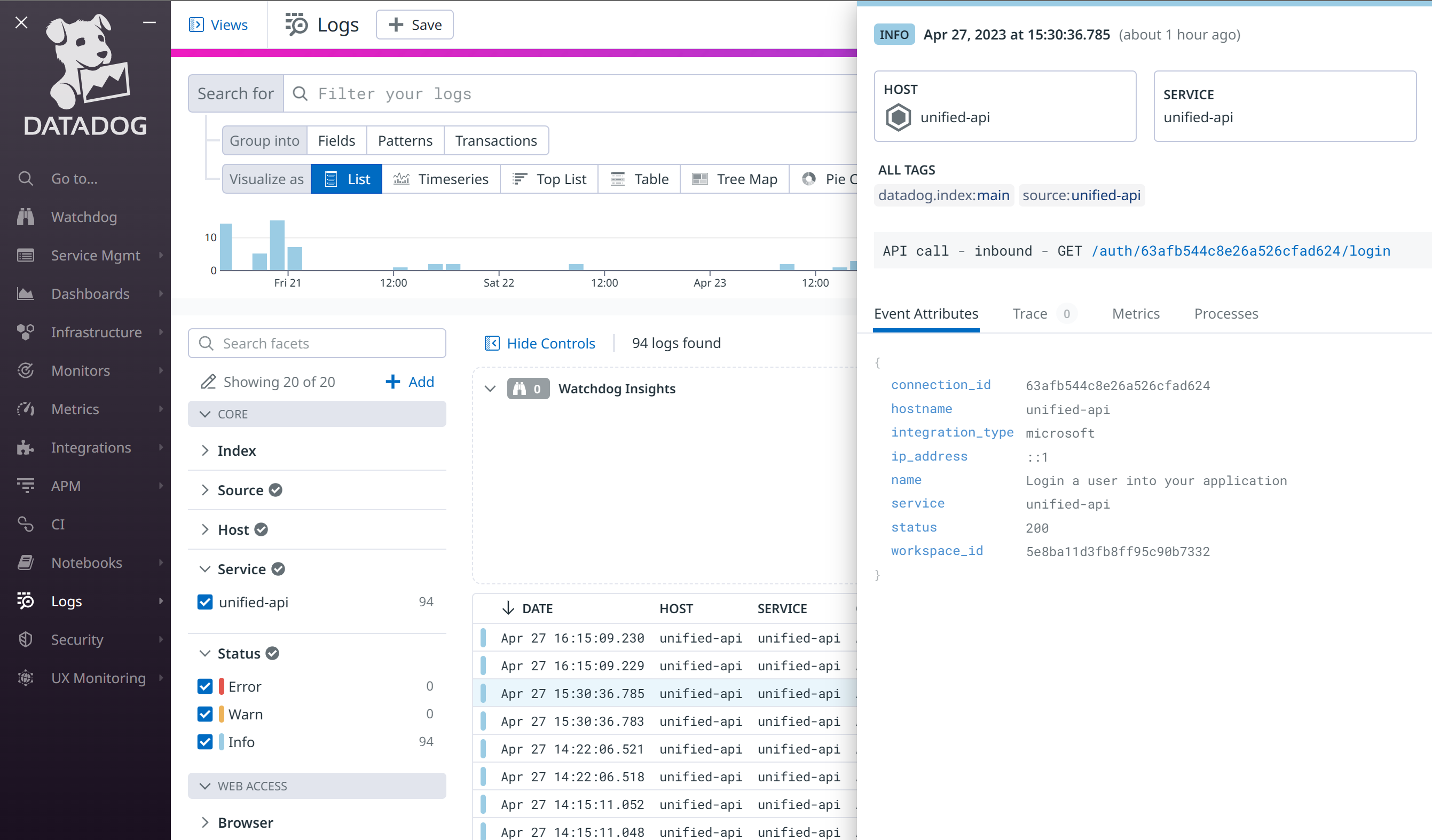
- Make a sample API call to the Unified API, or trigger a webhook delivery, then search Datadog's Log Explorer for
source:unified-api service:unified-api. Each entry's message readsAPI call - TYPE - METHOD path, with the tagsenvanddc(us, eu or au) and attributes such asconnection_id,integration_typeandstatus. Unified.to doesn't check the key when you save it, so if nothing arrives, confirm it's an API key rather than an application key, and that it was created on the US1 site.
Why does Datadog matter for Unified.to users?
By sending your logs directly to Datadog, you can search API call and webhook call logs next to the rest of your telemetry, debug failed calls, and alert on errors with the monitors you already use.
If you need another log type or destination, send us feedback.
About Unified.to
Unified.to provides unified APIs and an MCP server that give SaaS products and AI agents read and write access to customer data in third-party apps, across categories such as CRM, HRIS, ATS, accounting and file storage.